
Review Management for Tradespeople: Builders, Plumbers, Electricians
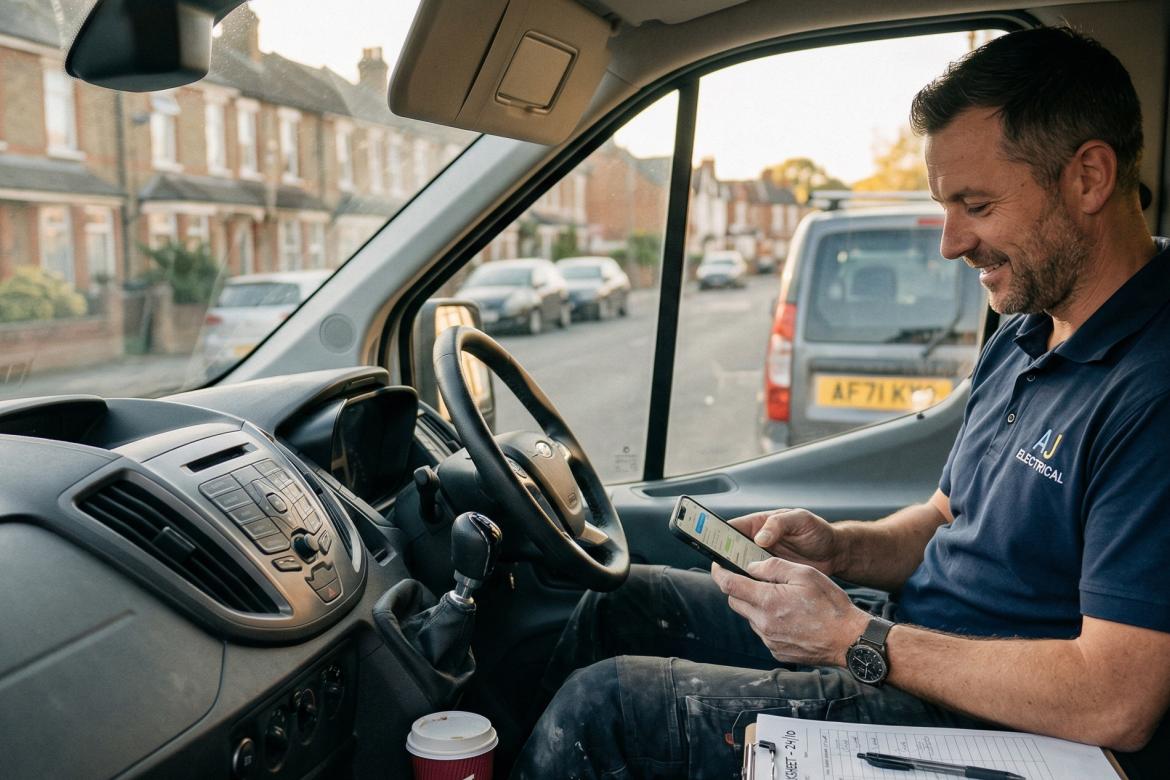
You're a plumber. You've just spent three hours under someone's kitchen sink in the dark, fixed the leak, cleaned up, charged a fair price, and the customer is genuinely grateful. They shake your hand, say "brilliant, thanks so much," and close the door. That's the last you hear from them. No review. Nothing.
Meanwhile, the one job that went sideways six months ago — where the customer wanted champagne service on a lemonade budget — that person found the time to write four paragraphs on Google about how you "left a mess" and "overcharged."
This is the trades review problem in a nutshell. Your happy customers are busy. Your unhappy ones are motivated. Here's how to fix that imbalance.
Which Platforms Matter for Tradespeople
Google is the foundation
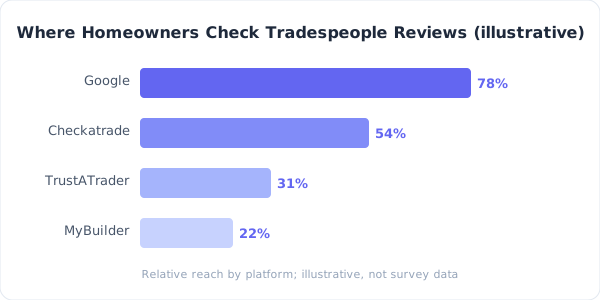
When someone's boiler breaks at 7pm on a Tuesday in November, they Google "emergency boiler repair [town name]." Your Google Business Profile and its reviews determine whether you get that call. According to BrightLocal's Local Consumer Review Survey 2024, 81% of consumers use Google to read reviews of local businesses — and when the boiler's down, nobody is checking anywhere else first.
Google reviews are free, they feed directly into local search rankings, and every customer already has a Google account. This is where your effort should go first.
Checkatrade is the trades-specific trust signal
Checkatrade says millions of homeowners search it every month. Customers who find you on Google often check Checkatrade to verify you're legitimate. The membership fee (from around £60 a month, priced by trade and postcode, usually on a 12-month contract) covers their vetting of your qualifications, insurance, and references — that verification is what gives the reviews weight.
TrustATrader and MyBuilder fill specific niches
TrustATrader has strong regional presence with a similar vetting model. MyBuilder ties reviews to specific jobs, making them particularly credible. If you get most work through MyBuilder, maintain that profile.
Skip Yelp (negligible in the UK), Trustpilot (built for e-commerce — unless you also sell products online), and Facebook (secondary). Pick Google plus one trade-specific platform. That's enough.
Getting Reviews From People Who Hate Typing
Here's the thing about tradespeople's customers: they called you because something was broken. You fixed it. They're relieved. They don't want to sit down and compose a review — they want to get on with their day.
You need to make the review process absurdly easy.
The text message link
Send a link within 2 hours of completing the job — a text if you've got their mobile, an email if that's what you took at the quote stage. Texts get read fastest; emails are easier to automate, and a review tool can send them for you (Reviewdar sends review-request emails and a reminder, each with an unsubscribe link, and prints QR codes for your invoice or van). One sentence, one link:
"Thanks for choosing us today! If you've got 30 seconds, a quick Google review helps us massively: [direct link]"
The link should go directly to the Google review form, not your profile page. Generate it from your Google Business Profile under "Ask for reviews."
The "while I'm still here" approach
The highest-conversion moment is while you're still in their house and the gratitude is fresh. When the customer says "that's brilliant, thank you" — that's your cue. "Really glad it's sorted. I can text you the review link right now — takes about 30 seconds." Then send it while standing there. Awkward the first few times, but the review gets written before they get distracted.
Make it specific
Don't just ask for "a review." Give a starting point: "If you could mention what the problem was and how it went, that really helps other people decide." This overcomes the blank-page problem where customers stare at the form thinking "what do I even write?"
Photo requests for visible jobs
New bathroom, kitchen fitting, landscaping, decorating — ask the customer to include a photo. Photos make reviews more credible and more engaging for future customers browsing your profile.
Handling "Left a Mess" Complaints
The "left a mess" complaint is the trades-specific review nightmare. It's subjective, it's hard to disprove, and it sounds bad even when the reality is that you did a perfectly clean job by trade standards and the customer expected hospital-level sterility.
Prevention is everything
Photo the work area before you leave. Every time. Ten seconds of effort gives you a factual reference if a complaint arises. Walk the customer through the completed work, point out the clean-up, take photos together. Sets the expectation and creates evidence simultaneously.
When the review is already there
Respond calmly and specifically. Not "we always leave a clean workspace" — that sounds defensive. Instead: "We're sorry the finish wasn't up to your expectations. On this job, we hoovered the work area, laid dust sheets throughout, and removed all materials. If there's something specific we missed, we'd genuinely like to come back and sort it out — please give us a call." Most people reading that response will trust you more, not less.
The "overcharged" complaint
You can't discuss specific pricing publicly. Keep it factual: "All our pricing is quoted upfront before work begins, and we don't charge beyond the agreed quote. If there's a discrepancy, please contact us directly." If you provide written quotes (and you should — always), mention that. It signals professionalism to everyone reading.
The Quote-to-Review Pipeline

The best trades businesses build review generation into their existing workflow rather than treating it as a separate task.
At the quote stage: Plant the seed. "When we're done, we'll send you a quick link to leave a review if you're happy." Makes the eventual ask feel natural.
At job completion: The "while I'm still here" ask. Highest-conversion moment.
Follow-up text or email: 2 hours after the job if you didn't ask in person. One message, one link. One polite reminder at most — anything more crosses the line into pestering.
Invoice: Include a single line or a QR code: "Happy with the work? A quick Google review helps other customers find us: [link]."
Run this pipeline consistently and a healthy share of jobs turns into a review. If almost none do, you're either not asking or the process has too much friction.
Two rules. Ask every customer, not just the ones you know were delighted — Google bans "review gating". And never knock money off for a review: since 6 April 2025 the Digital Markets, Competition and Consumers Act 2024 makes undisclosed incentives for reviews a banned practice, with the CMA able to fine directly.
Seasonal Patterns and Strategic Timing
Trades work is seasonal, and so is review generation. Heating engineers peak October to March. Landscapers and decorators in spring and summer. Use your busy season to build review volume aggressively — a plumber who generates 30 reviews between November and February enters the quieter summer months with a strong, recent Google profile that continues attracting work.
During quiet periods, reply to unresponded reviews and update your Google Business Profile — photos, services, contact details. Twenty minutes of maintenance keeps your profile active in Google's eyes.
The Compound Effect
Take an illustrative example: a plumber starting from 15 Google reviews builds to 60-80 in 12 months by asking on every job and following up by text or email. Their average rating stays above 4.7 because the ask process self-selects for happy customers. They now appear in the top 3 local results for relevant searches in their area. The phone rings more. No advertising spend required — just a system, consistency, and about 30 seconds per job.
Reviewdar brings your Google reviews — plus Facebook and Trustpilot if you use them — into one place, with alerts for new reviews so you never miss one. Checkatrade and MyBuilder reviews stay in their own dashboards. Check the pricing or see how it works.
Ready to transform your review management?
Join thousands of UK businesses using Reviewdar to manage their online reputation.